
Webflow vs Framer in 2026: which one is right for your site
.png)

Framer and Webflow are not the same tool with different logos. Framer is built for speed and design-first sites: landing pages, portfolios, and visually driven brand sites you want to ship fast. Webflow is built for content depth: blogs, case studies, resource libraries, and anything with a serious CMS or e-commerce behind it. This guide breaks down where each one wins, what they cost, where they stand on AI, and how to decide which fits the site you’re actually building.
The real question isn’t which is better
Most Framer vs Webflow comparisons try to crown a winner. That’s the wrong frame. After looking at how both platforms are actually used in 2026, the honest answer is that they’re built for different jobs, and the better question is which job you’re hiring the tool to do.
Framer and Webflow started in different places and kept moving in different directions. Framer grew out of a design tool and still feels like one. It’s fast, visual, and built for people who want to design and publish without thinking much about structure. Webflow grew out of the gap between design and development. It’s more structured, more powerful, and built for sites that need to scale in content, commerce, or complexity.
If you pick the wrong one, you don’t find out immediately. You find out six months in, when your content team is fighting the CMS, or when you realize the beautiful site you shipped can’t support the store you now need. So the choice is worth getting right up front. Here’s how the two actually compare across the things that matter.
Where each platform wins
Neither wins outright. They started in different places and kept moving in different directions, so each is stronger for a different kind of site.
Where Framer wins: speed and design-first sites
Framer’s biggest strength is how fast it gets you from idea to live site. For a landing page, a portfolio, or a visually driven brand site, you can go from blank canvas to published in an afternoon. The interface feels like Figma, which means designers are immediately comfortable, and the learning curve is gentle compared to Webflow.
This speed isn’t just about saving time. It changes what kinds of projects make sense. If you run a lot of campaign landing pages, or you’re a designer shipping client sites quickly, Framer saves you real effort on every single project. The visual polish is also genuinely strong. Framer’s animations and transitions feel smooth and modern out of the box, with less configuration than Webflow requires.
Framer is the better choice when design is the primary job of the site. Portfolios where visual storytelling matters most. Startup landing pages that need to look impressive fast. Event sites with a short shelf life. Brand sites where the wow factor is the point and the content behind it is light. For these, Framer’s speed and design-first approach is a real advantage, not a compromise.
The trade-off is that Framer’s simplicity becomes a limit as the site grows. The same things that make it fast for a landing page make it harder to manage a content-heavy site. Which brings us to the other side.
Where Webflow wins: content-heavy sites
The moment your site is built around content, the comparison stops being close. If you have a blog, case studies, team pages, a resource library, dynamic listings, or any structure where content scales over time, Webflow’s CMS is significantly more capable than Framer’s.
Both platforms use a collections-based CMS where you define content types, add fields, and each item generates its own page. The concept is the same. The execution is not. Webflow’s CMS handles complex content architecture: multiple interrelated collections, relational references between them, dynamic filtering and sorting, and template pages that generate automatically from CMS content. As of early 2026, Webflow supports up to a million CMS items per project, which is far beyond what most sites will ever need but signals the scale it’s built for.
Framer’s CMS works well for smaller content needs. Blog posts, a simple team directory, a handful of case studies. It handles these cleanly. The April 2026 Framer CMS update improved the table interface with inline editing and bulk actions, which helps. But when you need multiple interrelated collection types, complex content relationships, or strict editorial controls (required fields, character limits, default values), Framer starts to feel limiting. The gap is closing with each update, but for content-driven sites in 2026, Webflow remains the clear choice.
This matters most for marketing teams. A content marketing operation publishing case studies, comparison pages, integration pages, and a regular blog needs a CMS that can grow with the strategy. Webflow lets non-technical team members update content through a clean editor without touching the design, with the guardrails that keep a large content operation from breaking. That’s the daily reality of running a content-heavy site, and it’s where Webflow pulls clearly ahead.
E-commerce: where they really split
If you need to sell products directly from your site, the comparison is simple: Webflow has native e-commerce and Framer does not.
Webflow includes built-in e-commerce with product management, a cart, and checkout. It’s well suited for limited-to-medium catalogs: digital products, course sales, smaller physical product lines. You can design the entire shopping experience visually and manage products through the CMS, without bolting on a third-party tool.
Framer has no native e-commerce. To sell on a Framer site, you integrate an external solution like Shopify or a payment tool like LemonSqueezy. For a single product or a simple checkout, that can work fine. But if commerce is a real part of your business, building it on a platform that doesn’t natively support it means more moving parts, more integrations to maintain, and less control over the experience.
This is often the deciding factor on its own. If you’re selling anything beyond the occasional digital download, Webflow’s native commerce is a meaningful advantage. If you’re not selling at all, this section doesn’t matter and the decision comes down to the other factors.

The areas people overlook
Beyond the headline differences, a few things tend to decide the choice once teams get into the details.
SEO. Both platforms cover the fundamentals: custom meta titles, meta descriptions, OG images, canonical tags, automatic sitemaps, and 301 redirects. For a basic site, either gets technical SEO right. Where Webflow pulls ahead is in the details that matter for serious organic strategies: cleaner control over CMS-driven meta fields, more flexible redirects, and a structure built for content at scale. If organic search is a real growth channel for you, Webflow gives you more room to execute. If your SEO needs are straightforward, Framer is perfectly adequate.
Animations. This one cuts both ways. Framer’s animations feel smoother and softer out of the box, with less work. Webflow’s, powered by GSAP, feel snappier and give you more precise control, but take more configuration. If you want beautiful motion fast, Framer has the edge. If you want fine-tuned, performance-optimized interactions on a complex site, Webflow gives you more control. Neither is wrong, they’re built for different priorities.
Client collaboration. For agencies and teams, this is a real operational difference. Framer offers free client editing for Pro Experts, which lowers the cost of handing a site to a client. Webflow requires a paid Workspace seat for collaborative editing. Over many client projects, that difference adds up, and it’s worth factoring into the platform decision if you’re an agency choosing what to build on.
AI and AEO: where each platform stands
Both platforms have moved aggressively on AI, but in different ways and at different depths.
Webflow has built AI more deeply into the platform. Native AI tools handle SEO and AEO audits, generate alt text and meta descriptions, and help with schema markup, all inside the builder. Webflow also added native AEO infrastructure: a schema markup field in page settings, llms.txt support, and AI audit tools that check whether your content is structured for AI search engines to read and cite. For a marketing team that wants to be visible in ChatGPT, Perplexity, and Google AI Overviews, this is real infrastructure rather than an add-on.
Framer has added AI features too, primarily around design generation and content assistance, which fit its design-first identity. It can generate layouts and help produce content quickly. What it doesn’t yet match is Webflow’s depth on AEO specifically. The native schema tooling, the AI audits built for answer-engine visibility, the structured-data infrastructure, these are areas where Webflow is further along.
The practical takeaway: if AI search visibility is a priority, especially for a content-driven B2B site, Webflow’s AEO tooling is more mature today. If you mainly want AI to help you design and ship faster, Framer’s AI fits that workflow well. As with everything else in this comparison, it comes back to what the site is for.
Pricing: what each actually costs
Pricing is where Framer’s lower barrier to entry shows up clearly, though the full picture depends on what you’re building.
Framer has a free tier for personal sites on a Framer subdomain, with paid plans starting at a lower monthly price than Webflow, around five dollars a month for a custom domain on an entry plan. For a simple site or a personal project, Framer’s entry cost is genuinely lower, and its free tier is more generous. Check current plans on the Framer pricing page before committing.
Webflow’s free tier is more limited (two pages with Webflow branding), and paid plans start higher, around fourteen dollars a month for a basic site, with CMS and Business plans costing more as you scale content and traffic. The current breakdown is on the Webflow pricing page. Webflow’s pricing reflects what it’s built for: sites that grow in content and complexity, where the extra capability justifies the cost.
The honest way to read pricing is not “which is cheaper” but “which is cheaper for the site you’re building.” For a landing page or portfolio, Framer is cheaper and entirely sufficient. For a content-heavy site or a store, Webflow costs more but does things Framer can’t, which makes the comparison less about price and more about capability. Both platforms update pricing regularly, so check the current plans on their sites before you commit.
A decision framework: which one for your site
Here’s the simplest way to decide, based on everything above.
Choose Framer if most of these are true:
- Your site is primarily about design and visual impact
- You’re building a landing page, portfolio, or brand site with light content
- You want to ship fast with minimal learning curve
- You’re a designer who thinks in Figma
- Your budget is tight and your needs are straightforward
- You’re not selling products directly from the site
Choose Webflow if most of these are true:
- Your site is content-heavy, with a blog, case studies, or a resource library that will grow
- You need a CMS that can handle complex, interrelated content
- You want native e-commerce
- SEO and AI search visibility are real growth channels
- Your marketing team needs to manage content independently at scale
- You’re building something meant to grow in complexity over time
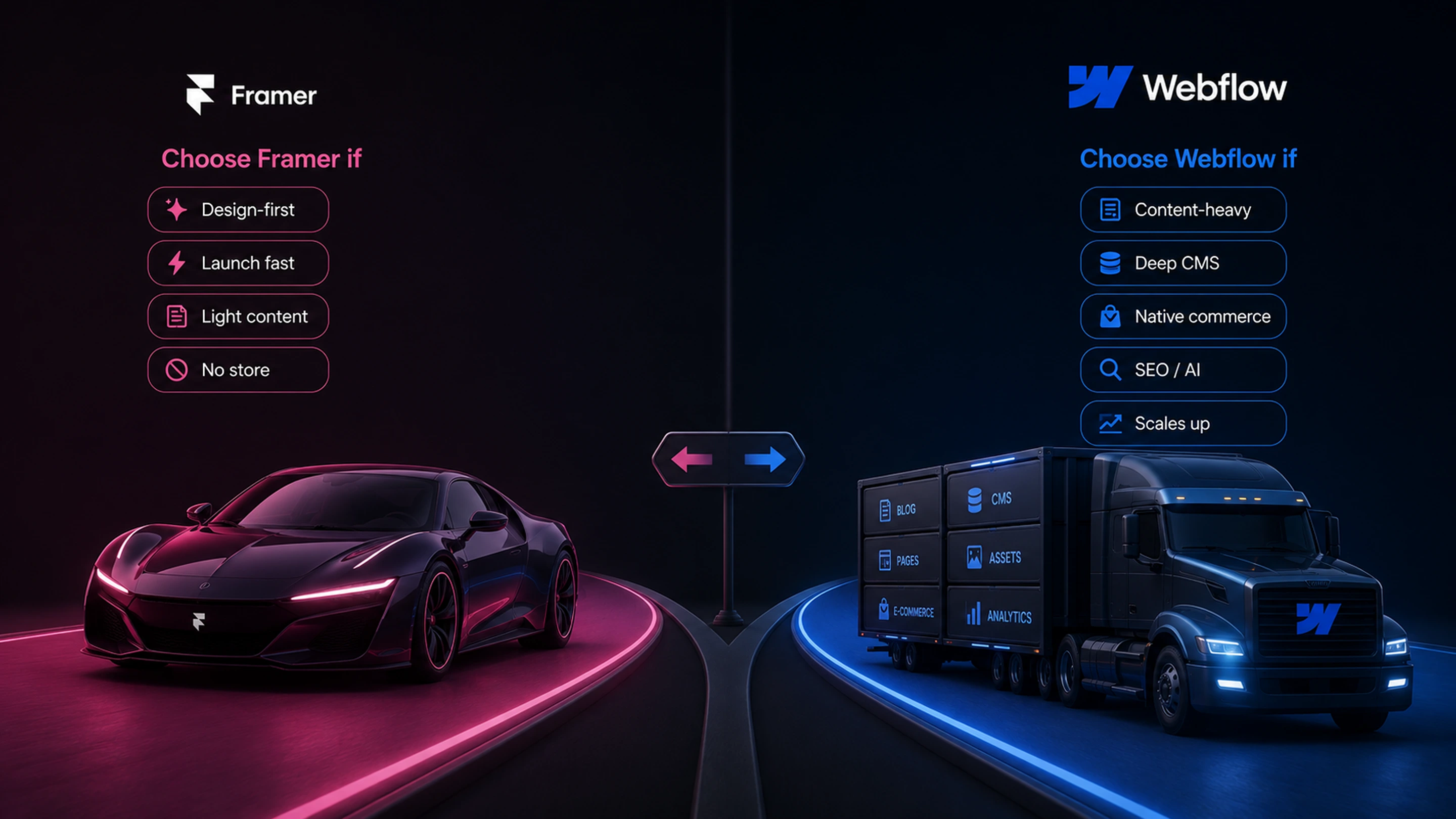
The honest summary. Framer is the sports car: fast, beautiful, perfect for the right trip. Webflow is built for the long haul, with the structure and capacity to carry a growing content and commerce operation. Neither is better in the abstract. The right choice is the one that matches the site you’re actually building, and the one you’ll still be happy with a year from now when the site has grown into whatever it’s going to become.

Frequently Asked Questions

Unlock the power
of
today