
Webflow for B2B lead generation: how to turn your site into a pipeline engine



Webflow gives B2B marketing teams a real advantage for lead generation: fast pages, the freedom to ship and test without a developer, a CMS that scales landing pages and gated content, and native connections to your CRM. But the platform is the foundation, not the strategy. This guide covers how to actually use Webflow for lead gen: the speed and autonomy advantage, landing pages at scale, gated content libraries, forms that convert, CRM integration, and how to measure what works. The honest throughline is that Webflow makes good lead gen easier to execute, but execution is still on you.
Why the platform matters for lead generation
Every B2B marketing team wants the same thing from its website: more qualified leads, captured reliably, handed cleanly to sales. The question is how much the platform you build on actually helps you get there.
The answer is: more than people think, but not in the way most articles claim. You’ll read a lot of posts that treat Webflow as a lead generation machine, as if switching platforms is what generates pipeline. That’s not quite right. Webflow doesn’t generate leads. Your strategy does. What Webflow does is remove the friction that slows good strategy down, so the team executing it can move faster, test more, and ship without waiting on engineering.
That distinction matters, because it sets the right expectation. If your positioning is weak, your offers are generic, and your content doesn’t speak to a real buyer, no platform will fix that. But if you have a real strategy and the right platform, the platform becomes a genuine advantage. This guide is about making Webflow that advantage. Everything below assumes you’ve done the strategic work, and focuses on how Webflow helps you execute it well.
The Webflow advantage: speed and autonomy
Two things make Webflow genuinely good for B2B lead generation, and they compound each other. The first is speed, in the literal sense. Webflow sites load fast by default, with high PageSpeed scores out of the box and global delivery through a CDN. For B2B lead gen, this matters more than it sounds. A meaningful share of prospects research on mobile, often between meetings, and a slow page loses them before they see your offer. Fast pages keep more of the traffic you worked to earn, which means more of it reaches your forms.
The second is autonomy, and this is the bigger one. Webflow lets marketing teams build, edit, and ship without a developer in the loop for routine work. A new campaign landing page doesn’t wait in an engineering queue. A copy test on a hero doesn’t need a deploy. A new gated asset goes live the same day someone finishes it. For lead generation, where success comes from testing and iterating quickly, that independence is the whole game. The team that can ship ten landing page variations in the time another team ships two will learn faster and generate more pipeline, with the same headcount.
Speed and autonomy together mean a marketing team can run lead gen at its own pace, not at the pace of whoever controls the codebase. That’s the core of why Webflow works for this.
Building blocks
What you actually build to turn a Webflow site into a lead engine.
Landing pages at scale
Lead generation runs on landing pages: campaign pages, offer pages, webinar pages, partner pages, comparison pages. The more targeted each one is, the better it converts. The problem on most platforms is that producing them is slow, so teams reuse a generic page instead of building a focused one.
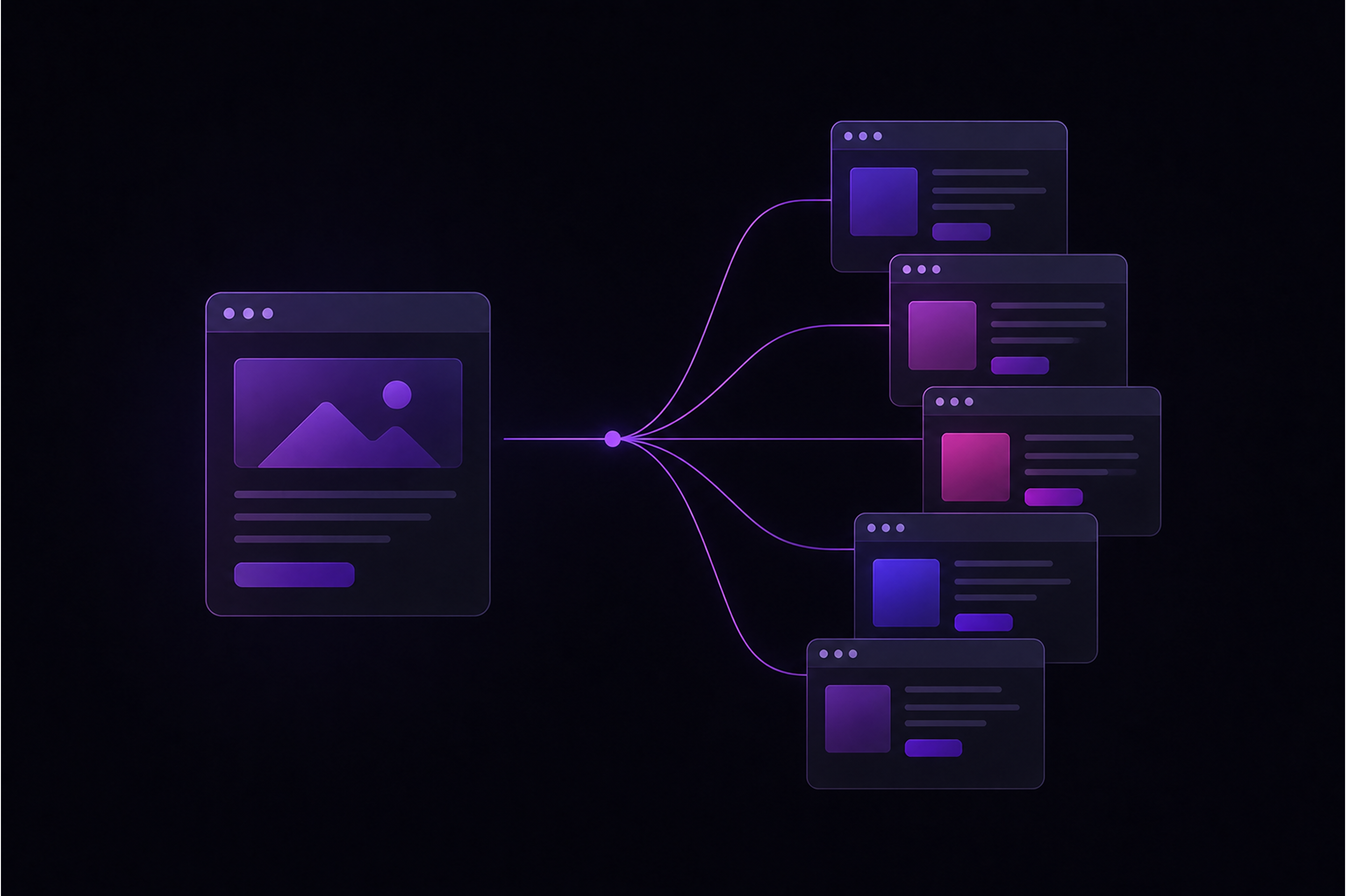
Webflow changes the math two ways. First, you can build a strong landing page template once and clone it for each new campaign, swapping copy and imagery in minutes rather than rebuilding from scratch. Second, for programmatic plays, the Webflow CMS can generate large numbers of structured landing pages from a single data source: one template, hundreds of pages, each targeting a specific keyword, industry, or use case. For a B2B team chasing long-tail search demand, that’s a way to capture intent at scale without hand-building every page.
The practical effect is that targeted landing pages stop being a luxury you ration and become something you produce as fast as campaigns demand. That alone tends to lift conversion, because a prospect who lands on a page built for their exact situation converts better than one who lands on a generic homepage.
Gated content and resource libraries
Gated content (whitepapers, reports, templates, tools) is a core B2B lead gen motion, and it’s an area where Webflow’s CMS does real work.
Instead of building each gated asset as a one-off page, you build a resource template once and let the CMS handle the rest. Each new whitepaper or report becomes a CMS item that generates its own landing page, its own gated form, and its own entry in a filterable resource library. As the library grows, visitors can search and filter it (with a tool like Jetboost), which keeps older assets discoverable instead of buried.
The strategic advantage is that scaling your gated content stops being an engineering cost. A marketing team can add a new gated asset whenever they produce one, without a developer building a new page each time. Over a year, that’s the difference between a resource library with five assets and one with fifty, and the larger library captures far more leads across far more topics.
A note on balance: gating everything is a mistake, because it suppresses the SEO and AEO value of your best content. The common approach is to keep genuinely useful content ungated for visibility, and reserve gating for high-value assets where a prospect will trade their details for real depth. Webflow makes both easy; the judgment about what to gate is the strategic part.
Forms and lead capture that convert
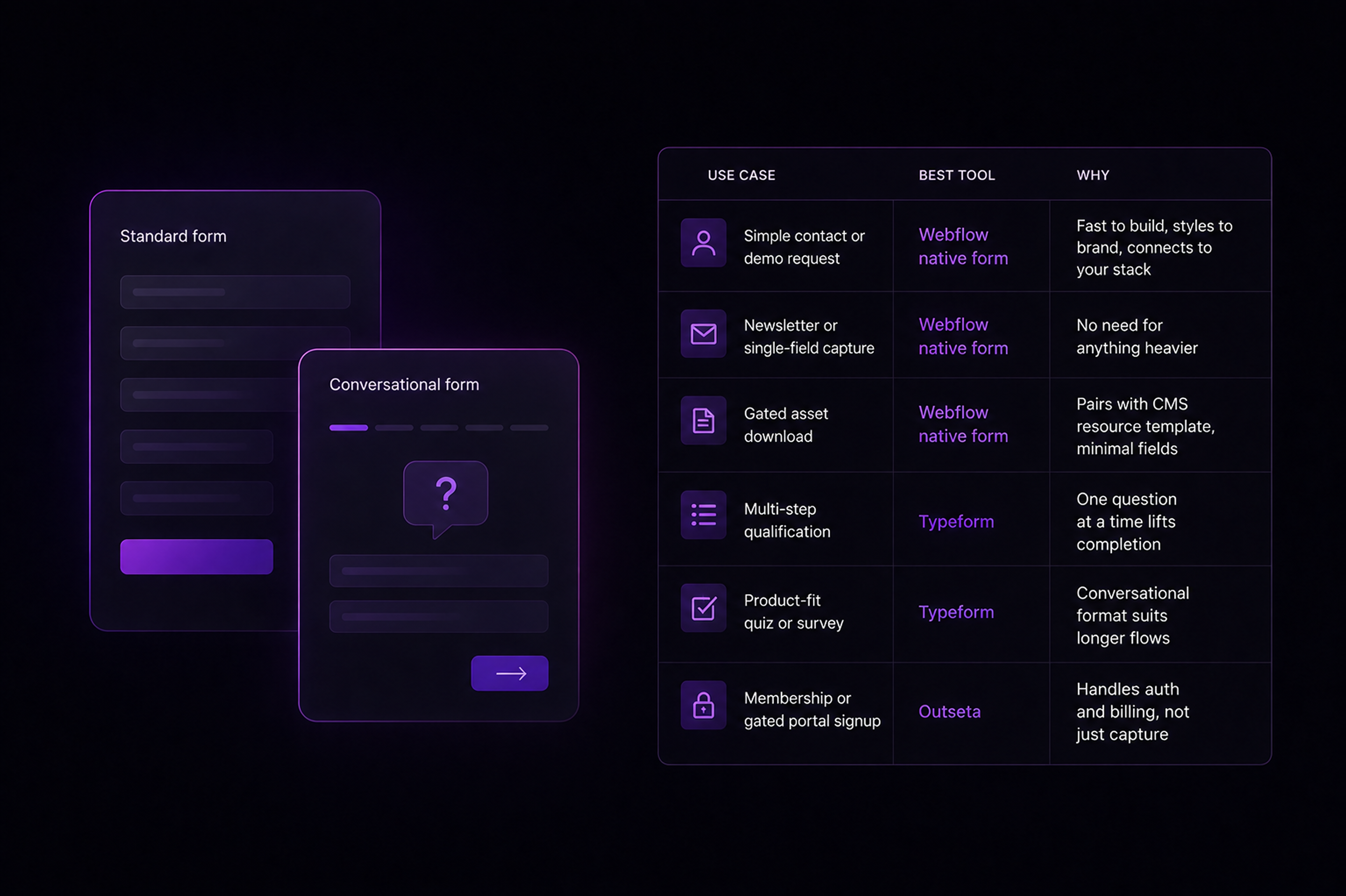
The form is where a visitor becomes a lead, so it deserves more thought than it usually gets. Webflow’s native forms handle the fundamentals well: they’re easy to build, style to match your brand, and connect to your stack. For most lead capture, they’re all you need. The main principle that improves conversion is asking for less. Every additional field costs you completions. The common practice is to capture the minimum that lets sales act (often a work email, a name, and a company) and enrich the rest later from data tools rather than making the prospect type it all.
For more involved capture (multi-step qualification, surveys, a product-fit quiz) a conversational tool like Typeform often converts better than a long static form, because answering one question at a time feels lighter than facing a wall of fields. The rule of thumb: use Webflow’s native forms for straightforward capture, and reach for a specialized tool when the form itself is part of the experience.
Whatever you use, two things matter. The lead has to arrive in your CRM reliably and immediately, and the prospect should get a clear, fast response. A lead that sits unrouted for a day is often a lead lost, which is why the connection to your stack is as important as the form itself.
Connecting to your CRM and marketing stack
A captured lead that doesn’t reach your CRM cleanly is wasted, so the integration layer is not optional. This is where lead gen either works as a system or breaks into manual steps.
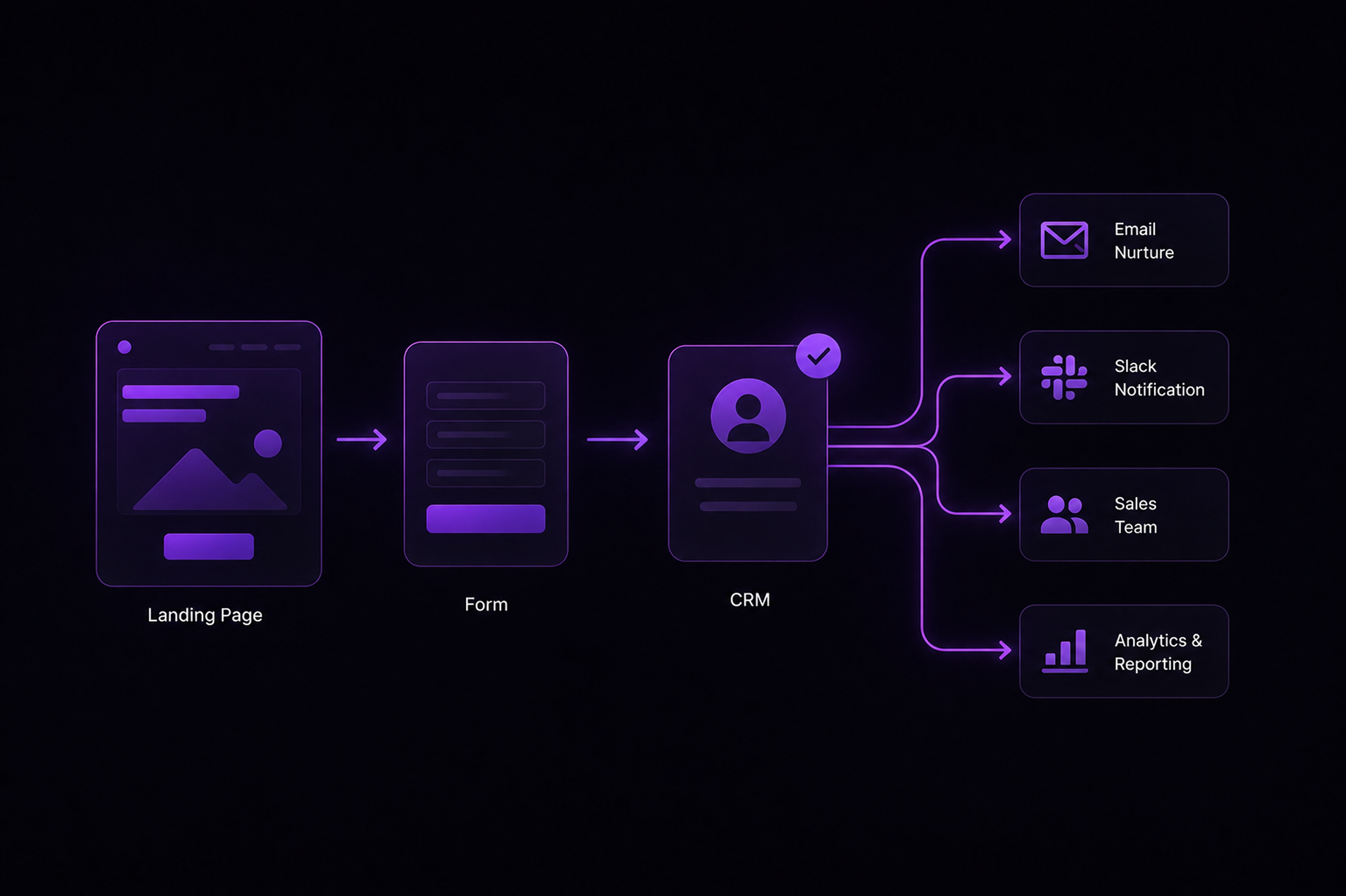
Webflow connects to the B2B marketing stack in a few ways. HubSpot integrates closely, so form submissions can flow straight into the CRM as contacts, ready for scoring and nurture sequences. For other tools, Zapier and Make connect Webflow to thousands of services, so a single form submission can create a CRM record, notify sales in Slack, add the lead to a nurture sequence, and log it in a spreadsheet, all automatically.
The goal is a path with no manual steps between a prospect submitting a form and sales being able to act on it. When that path is automated, leads get followed up while they’re still warm. When it isn’t, leads fall through the gaps between tools. The integration work is unglamorous, but it’s often the difference between a lead gen motion that compounds and one that leaks.
Measuring what works
You can’t improve lead gen you can’t see, so measurement closes the loop. The aim is to know which pages, offers, and sources actually produce qualified leads, not just traffic. A practical B2B measurement setup on Webflow combines a few layers: standard analytics for traffic and source data, Webflow-aware analytics like Nocodelytics for CMS and interaction data that standard tools miss, and session tools like Microsoft Clarity to watch how prospects actually move through key pages. Together these answer the questions that matter: which landing pages convert, which gated assets pull the most leads, where prospects drop off in a form, and which traffic sources send people who actually become pipeline.
The point of measuring isn’t the dashboard. It’s the next decision. Good measurement tells you which page to double down on, which offer to retire, and which form field is costing you completions, so each cycle of testing is informed rather than guessed.
The honest part: platform and strategy together
Here’s the throughline. Webflow is a genuinely strong platform for B2B lead generation. The speed keeps your traffic, the autonomy lets you test fast, the CMS scales your pages and gated content, and the integrations connect it all to your pipeline. These are real advantages, and a team that uses them well has a meaningful edge over a team fighting a slow, developer-gated site.
But the platform is the foundation, not the strategy. Webflow makes good lead gen far easier to execute, and it removes the friction that kills momentum. What it can’t do is decide who your buyer is, what offer will move them, or what story makes them trust you. That part is still the work of the marketing team, and it’s still where most of the outcome is decided.
The teams that win at B2B lead gen treat the two as partners. They get the strategy right (clear positioning, real offers, content that speaks to a buyer), and then they use Webflow to execute it faster and test it harder than their competitors can. Get both right, and the website stops being a brochure and starts being one of the most productive parts of the funnel.

Unlock the power
of
today