
Webflow forms in 2026: how to turn them into a lead engine


A form is where a visitor becomes a lead, so it’s one of the most important things on your site, not a technical afterthought. Webflow’s native forms are clean, easy, and enough for most marketing forms, and they connect directly to tools like HubSpot, Zapier, and Make. They hit limits when you need conditional logic, multi-step flows, or stronger spam protection, which is where a third-party form tool earns its place. This guide covers what native forms do well, where they fall short, how to connect them to your CRM, the spam and GDPR issues that trip teams up, and how to design forms that actually convert. The short version: start native, add a third-party tool only when a real need shows up, and never lose sight of where the lead goes after submit.
Forms are where leads actually convert
On most marketing sites, the form is the moment everything else has been working toward. All the traffic, the content, the design, the positioning, it all leads to someone deciding to fill in their details and hit submit. That makes the form one of the highest-stakes elements on your entire site, even though it’s often treated as a minor technical detail bolted on at the end.
For a marketing team, that reframing matters. A form isn’t just a way to collect an email. It’s the conversion point of your whole funnel, and small things about it, how long it is, whether it works on mobile, whether the submission actually reaches your CRM, directly affect how many leads you capture and keep. A beautiful site with a broken or badly designed form is leaking pipeline every day.
So this guide treats Webflow forms the way a marketing team should: not as “how to drag a form block onto a page,” but as how to make forms that reliably capture leads and feed them into the systems where your team works. We’ll cover what Webflow gives you out of the box, where you’ll outgrow it, and how to get the whole chain, from submit to CRM, working properly.
Native forms: strengths and limits
What Webflow’s built-in forms handle well, and where they run out of road.
What Webflow’s native forms do well
Webflow has form functionality built in, and for a lot of marketing needs it’s genuinely all you need. It’s worth being clear about its real strengths before talking about limits.
The biggest advantage is that native forms are fully integrated with your site’s design. You build and style the form with Webflow’s own design tools, so it matches your brand exactly, with no embedding, no iframe, no styling conflicts. Forms built natively render cleanly, stay responsive on mobile, and don’t carry the visual mismatches that embedded third-party forms often introduce. For a team that cares how the site looks, that seamlessness is a real benefit.
They’re also simple to set up and manage. You drag a form onto the page, customize the fields, set the success and error messages, and choose who gets notified, all without code. Submissions can be collected in Webflow itself and viewed in your site settings, and paid plans support unlimited submissions. For a standard contact form, demo request, or newsletter signup, that’s often everything required.
And they connect directly to the tools you already use. Native Webflow forms can send submissions straight to apps like HubSpot, Zapier, and Make, which means a form can feed your CRM or trigger an automation without a third-party form service in between. For most marketing forms, native is the simplest place to start, and the simplest setup is usually the one that keeps working.
Where native forms hit limits
Native forms are a great starting point, but they have real limits, and knowing them up front saves you from discovering them mid-campaign.
The most common one is conditional logic. Webflow’s native forms don’t support showing or hiding fields based on previous answers, so if you need a form that adapts as someone fills it in, native alone won’t do it. The same goes for multi-step forms, breaking a longer form into stages, which native doesn’t handle on its own and which often needs a third-party tool or custom work.
Then there’s spam and notifications. Webflow’s form endpoint is predictable, which means bots can sometimes bypass the standard frontend reCAPTCHA by posting directly to it, a real issue for teams running paid traffic to a landing page. Email notifications, while usually fine, are occasionally unreliable, and the native interface for viewing and managing submissions is fairly basic, with no easy way to edit entries. None of these is a dealbreaker for a simple form, but they add up if forms are central to your lead generation.
Finally, there are plan limits to be aware of. Form submission limits and certain features depend on your Webflow plan, so a high-volume site needs to check that its plan matches its actual submission volume. The honest summary is that native forms are excellent for standard use and start to strain when your needs get more advanced, which is exactly when a third-party tool becomes worth considering.
Native vs third-party: how to choose
The practical question most teams face is when to stick with native forms and when to bring in a dedicated form tool. Here’s a clear way to decide.
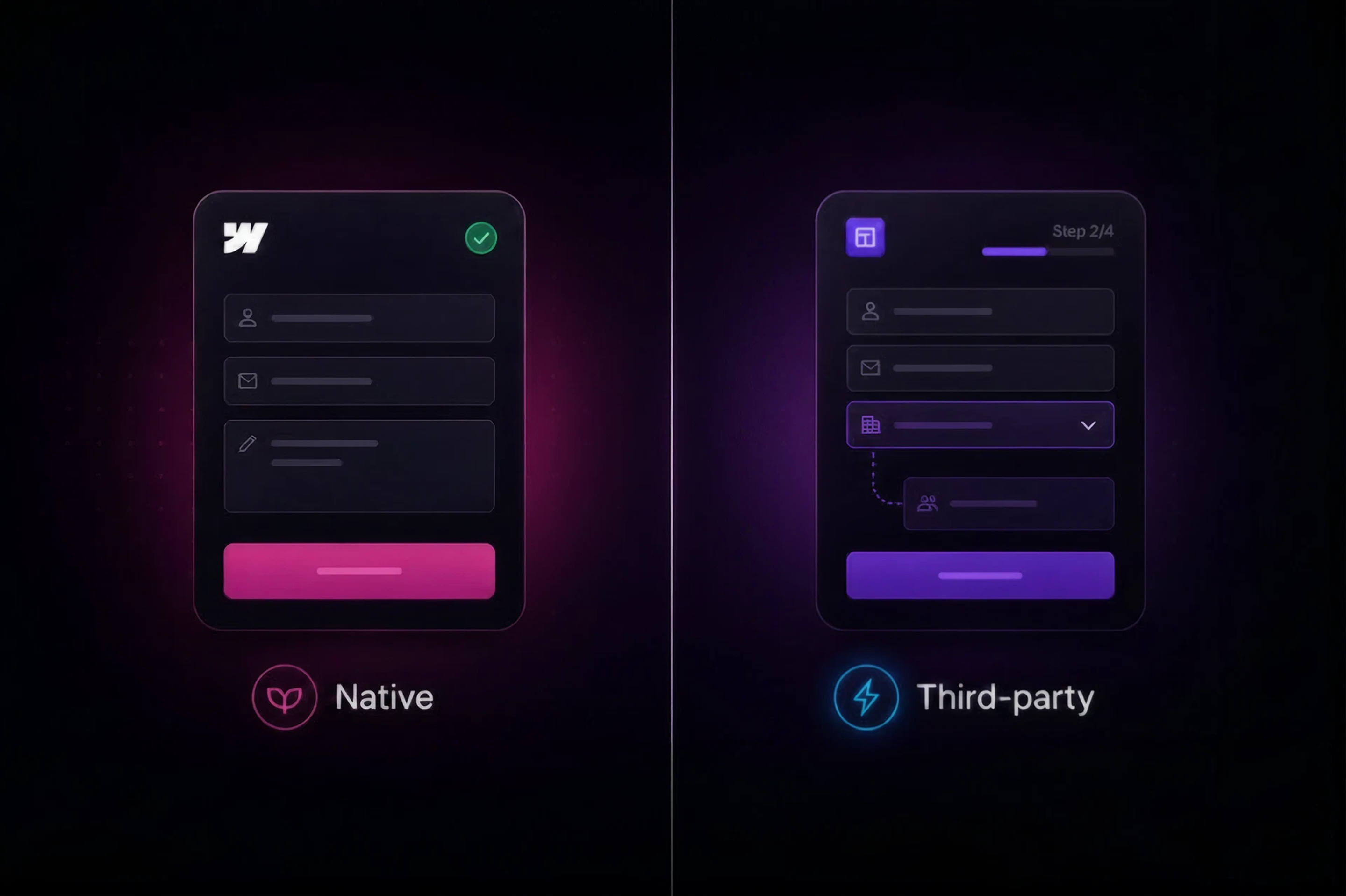
Use native Webflow forms when you want a clean, lightweight setup that matches your design, your forms are relatively standard (contact, demo request, newsletter, basic lead capture), and you’re happy connecting to your CRM through Webflow’s built-in app integrations. For most marketing sites, this covers the majority of forms, and it’s the simplest, most maintainable option.
Reach for a third-party form tool when you need something native can’t do: conditional logic, multi-step flows, advanced spam protection, built-in A/B testing, or tighter, more configurable CRM and automation workflows. Tools in this space include options like HubSpot Forms (strong if you’re already in HubSpot), lightweight services like Formspark, and Webflow-native form apps like Inputflow for multi-step flows built inside the Designer, among others. Each is suited to different priorities, so the right one depends on what specifically you need that native lacks.
One important technical note when choosing a third-party tool: how it integrates with Webflow matters a lot. Tools that embed via iframe often cause styling conflicts, break on mobile, or lose tracking data, while tools that render natively (as a web component or a true Webflow app) keep your design and tracking intact. If you do go third-party, favor one that integrates cleanly rather than one bolted on through an iframe.
Connecting forms to your CRM and tools
Capturing a submission is only half the job. Where the lead goes next is what actually matters for a marketing team, and this is the part worth getting right.
A form submission should rarely just sit in your site settings. For it to be useful, it needs to reach the place your team works: your CRM, your email platform, your task system, or an automation that routes it appropriately. Webflow’s native forms can connect directly to HubSpot, Zapier, and Make, which between them can route a submission almost anywhere. A HubSpot connection syncs leads straight into your CRM. A Zapier or Make connection can send the data to hundreds of other tools, notify a Slack channel, create a task, or kick off a multi-step workflow.
For teams with more complex routing, webhooks are the underlying mechanism worth knowing about. A webhook fires when a form is submitted and sends the data wherever you point it, which is how you connect forms to custom workflows, route different submissions to different places, or trigger automations beyond simple email notifications. If your setup relies on webhooks or region-based routing (sending leads to different workflows depending on where they’re from, for example), the important thing is to test both the data mapping and the downstream workflow properly, because a silently broken connection means lost leads.
The principle for a marketing team is simple: design the whole chain, not just the form. From the field a visitor fills in, to the CRM record, to the follow-up that gets triggered, the entire path should be intentional and tested. That’s the difference between a form that collects emails and a form that actually drives pipeline.
Spam, GDPR, and the things that break
A few practical issues catch teams off guard with forms, and they’re worth handling deliberately rather than discovering the hard way.
Spam is the first. Because Webflow’s form endpoint is predictable, bots can bypass standard frontend reCAPTCHA by posting directly to it, which is especially a problem for landing pages running paid traffic. Effective protection usually means more than the default reCAPTCHA: layered measures like honeypot fields, server-side filtering, or stronger validation through a third-party tool. If you’re seeing spam submissions pile up, the default protection isn’t enough on its own.
GDPR is the second, and it matters especially for teams with EU traffic, which includes most of Europe. One specific catch: Google reCAPTCHA automatically loads Google Fonts and makes requests to Google’s servers, which can transfer user data outside the EU without explicit consent, a genuine GDPR concern. If you target EU users, this is worth checking with whoever handles your compliance, and considering a privacy-first alternative. More broadly, any form collecting personal data from EU residents needs proper consent, clear data handling, and a data processing agreement with any third-party form processor you use.
The third is the quiet one: broken connections. Email notifications can occasionally fail, and integrations can silently stop working, which means leads vanish without anyone noticing. The fix is process, not technology: test your forms regularly, confirm submissions are actually arriving where they should, and check the whole chain after any change to your site or integrations. A form you haven’t tested in three months is a form you can’t trust.
Form design that converts
Beyond the technical side, how a form is designed has a direct effect on how many people complete it. This is where marketing instinct matters as much as setup.
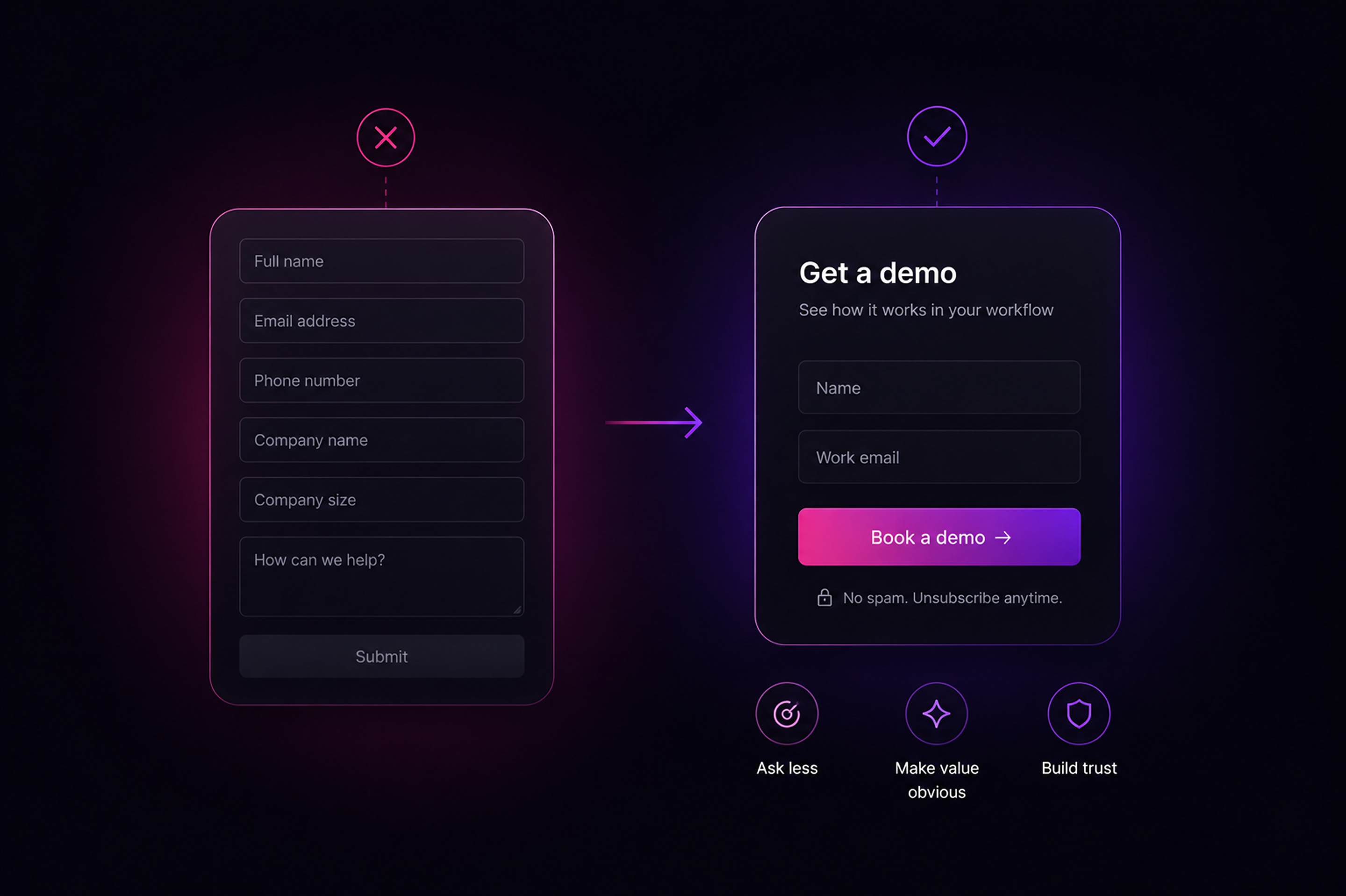
The most reliable rule is to ask for as little as possible. Every additional field reduces completion, so a form should request only what you genuinely need at that stage. A newsletter signup needs an email, not a phone number and company size. A demo request needs enough to follow up, not a full profile. If you don’t need a field to take the next step, cutting it will usually lift your conversion rate more than any clever tactic.
Clarity and trust do the rest. A form should have a clear, specific button (“Get the guide” or “Book a demo” beats a generic “Submit”), a visible reason to fill it in, and a clean layout that doesn’t feel like a wall of fields. It has to work flawlessly on mobile, where a large share of visitors will encounter it, and it should show a clear success message so people know it worked. For longer forms that you genuinely can’t shorten, breaking them into steps can reduce the intimidation of a single long page, which is one of the cases where a multi-step third-party tool earns its place.
The throughline is that good form design and good marketing are the same thing: respect the visitor’s time, make the value obvious, and remove every bit of friction between interest and submission.
What to actually do
Pulling it together, here’s the practical approach to Webflow forms for a marketing team.
Start native. For most forms, Webflow’s built-in forms are clean, on-brand, simple to manage, and connect directly to your CRM through HubSpot, Zapier, or Make. They’ll handle the majority of what a marketing site needs, and the simplest setup is the one most likely to keep working. Add a third-party tool only when a real need shows up, conditional logic, multi-step flows, stronger spam protection, or A/B testing, and when you do, choose one that integrates cleanly rather than through an iframe.
Then take care of the things that quietly cost you leads. Handle spam with more than the default protection if you run paid traffic, check your GDPR position if you have EU visitors, and test the whole chain from submit to CRM regularly so nothing fails silently. And design every form around conversion: ask for as little as possible, make the value clear, and make it flawless on mobile. Get this right and your forms stop being a technical detail and start being one of the most productive parts of your marketing.
Frequently Asked Questions

Unlock the power
of
today